Built for the Classroom: How a Phygitech Lab Fits a Real School Day
By Phygitech Team · Updated · 3 min read
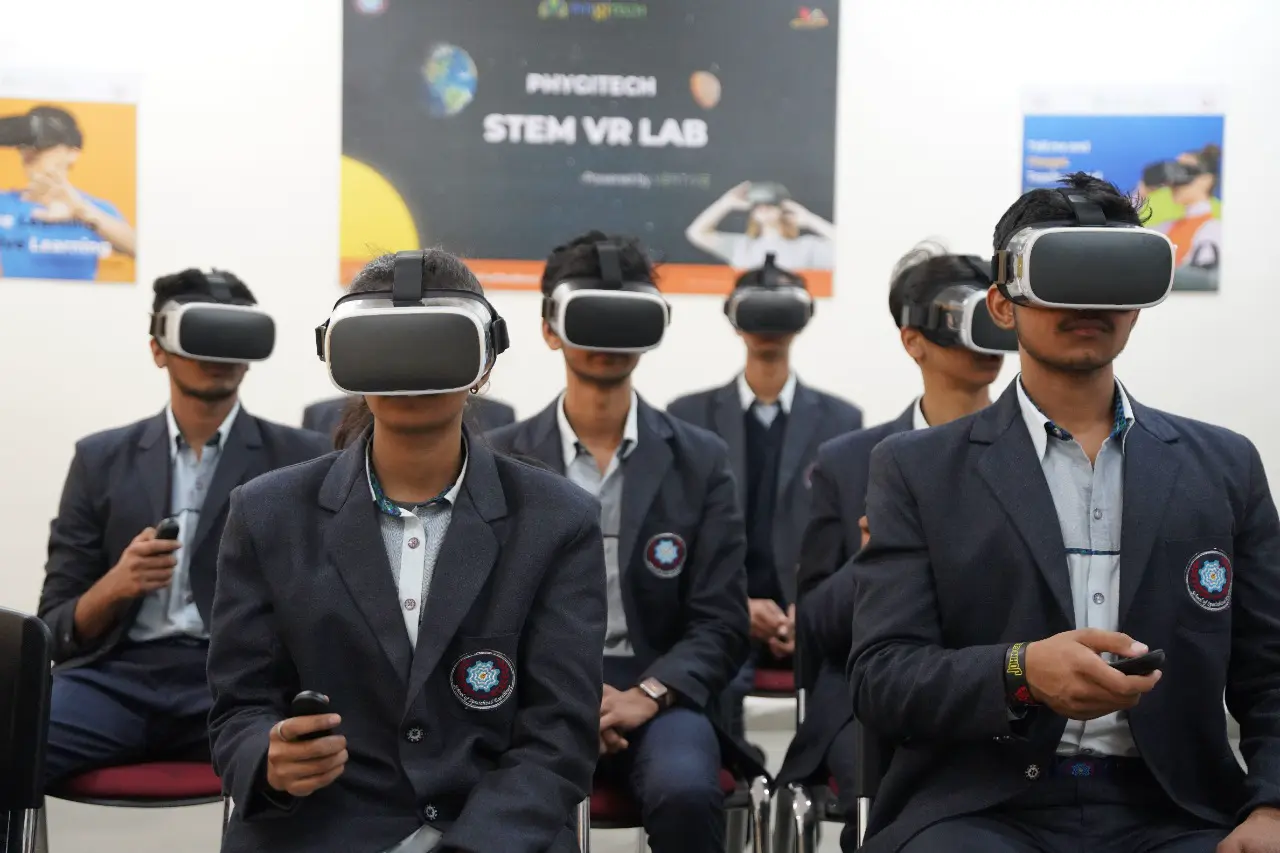
Most VR products were designed for one person at home with an evening to spare. A school is the opposite. There is a bell, a full class, one teacher and the next class waiting outside the door.
Everything in a Phygitech lab starts from that reality. It is designed and developed for schools, and you can see it in the details.
The period starts on time
If it takes fifteen minutes to get every student into the lesson, nothing gets taught. In our lab the teacher starts the lesson once, from a laptop or tablet, and it opens on every device together. Nobody walks around the room pressing buttons on headsets.
One teacher can manage the whole class
With PHYGIVR Class Management the teacher can see every student's screen live. If a child is stuck, lost or looking at the wrong thing, the teacher knows without asking. The class can be paused together when it is time to talk, and the lesson can be ended for everyone at once.
The teacher can also see where each device in the class is, which matters more than you would think when there are a few dozen of them.
Devices that are ready for the next class
After the period, the devices go back into the storage cum docking station. It stores them safely and charges them, so the next class does not begin with flat batteries. It is the least glamorous part of the lab and one of the most important.
A bad internet day is not a lost day
Class management runs over the lab's own network. If the school's internet is slow or down, the lesson still runs. We made that choice deliberately, because a lab that depends on a perfect connection will let a teacher down on the day it matters.
Different classes need different things
Not every lesson, or every age group, needs the same kind of lab. So we do not force a single answer:
| Lab | What students use |
|---|---|
| PHYGIVR STEM Lab | VR device with controller |
| AR Lab | Smartphone or tablet |
| 2D-3D Lab | Shared interactive display and 3D projection |
A school can start with one and add the others later. You can read more about the PHYGIVR STEM Lab, the AR Lab and the 2D-3D Lab.
It follows the syllabus
Teachers do not have spare periods for content that is merely interesting. The content is mapped to CBSE, ICSE, IB, IGCSE and state boards, and the lab is designed to support the experiential learning that NEP 2020 asks schools for.
Afterwards, the teacher can see what was learnt
The Learning Management System holds the assessments and reports, so a lab period leaves something behind: who understood, who did not, and where the gaps are.
The people matter as much as the kit
We train the teachers. A lab only becomes part of school life when the staff feel at home in it, so we run training and workshops and remain available after the installation.
Want to see how it would work with your timetable? Tell us about your school in a few taps, or book a demo.
Frequently asked questions
Can one teacher run a VR class alone?
Yes. The teacher starts, monitors, pauses and ends the lesson for the whole class from one laptop or tablet.
Do we have to choose between VR, AR and 2D-3D?
No. Many schools combine them. Tell us your classes and subjects and we will suggest what fits.
What happens to the devices between classes?
They are kept in the storage cum docking station, which stores and charges them.
See it in your own school
Book a free demo and try the VR, AR and 3D labs with your teachers.
Book a Free DemoKeep reading

What Makes Phygitech Different from Other VR Lab Providers
Hardware is the easy part of a VR lab. Here is what we do differently at Phygitech, from content and class control to working without internet.
· 3 min read
Inside the Phygitech AR and VR Content Library, and What Educators Say About It
What is in the Phygitech AR and VR content library, how it is mapped to the curriculum, and what teachers, principals and students have said about it.
· 3 min read